Computer Applications
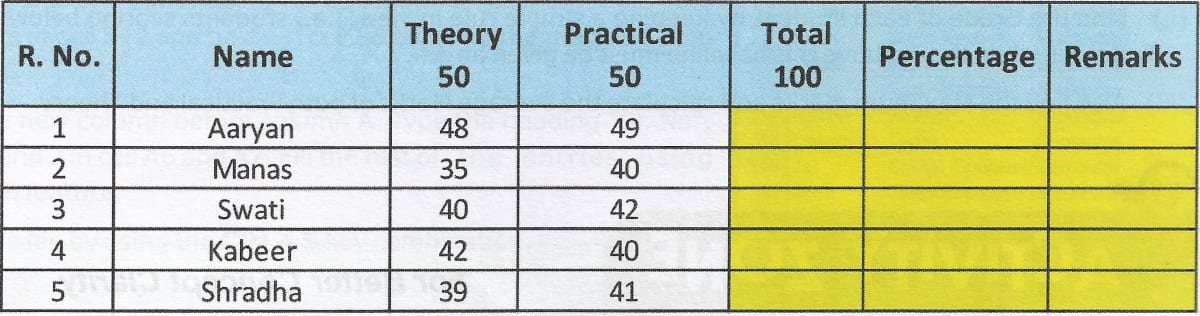
Mayur could not complete the assignment given by his teacher which is shown below. Help him to fill the blank cells marked with yellow colour.
Answer
Mayur can use formulas to calculate the values of the blank cells. Let us assume that "R. No." has the cell reference A1 and write the formulas accordingly.
To calculate Total, he can write the formula
= C2 + D2in cell E2. This formula will calculate the sum of cells C2 and D2 in cell E2. The formula can be copied in range E3 : E6 to fill the Total column.To calculate Percentage, he can write the formula
= (E2 / 100) * 100in cell F2. This formula will calculate the percentage of marks in cell F2. The formula can be copied in range F3 : F6 to fill the Percentage column.To fill the Remarks column, Mayur can write the formula
= IF (F2 >= 40, "Pass", "Fail")in cell G2. This formula will return "Pass" if the percentage is greater than or equal to 40, else return "Fail". The formula can be copied in range G3 : G6 to fill the Remarks column.
Related Questions
Suggest the Excel functions which can be used for the following:
(a) To calculate the average marks obtained by a student in SA1 assuming that his/her marks of individual subjects are given.
(b) To find the highest marks of Hindi in your class, if marks of all students are given.
(c) To calculate the quarterly sales of a sales executive, if the sales data of all months are given.
(d) To find out the minimum quoted tender rates submitted by various companies to the Govt. of India.
The class teacher asked Ravi to observe the following worksheet carefully, and answer the questions based on it:
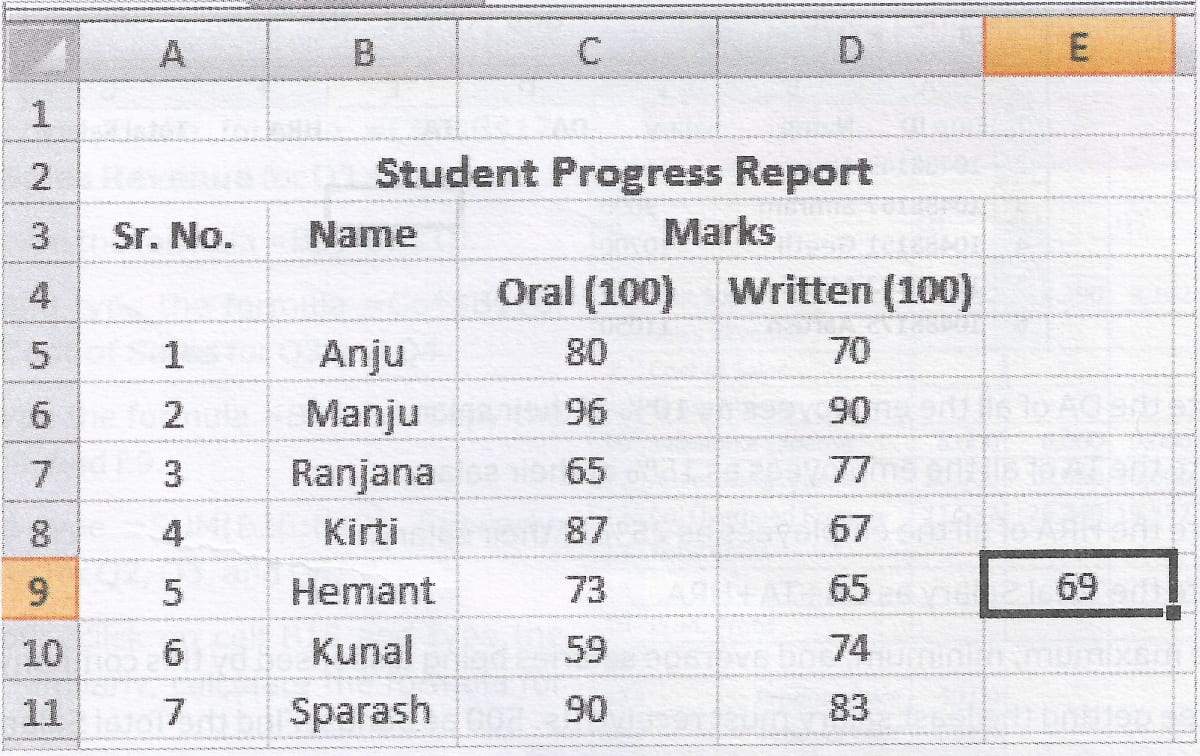
(i) Identify the nature of formula in the cell E9.
(ii) Copy the formula applied in cell E9 to all the cells from E5 to E11.
(iii) Find the maximum and the minimum value among the cells E5 to E11.
(iv) Calculate the average of both Oral and Written marks.
Sahil has been given the hard copy of the following worksheet by his teacher.
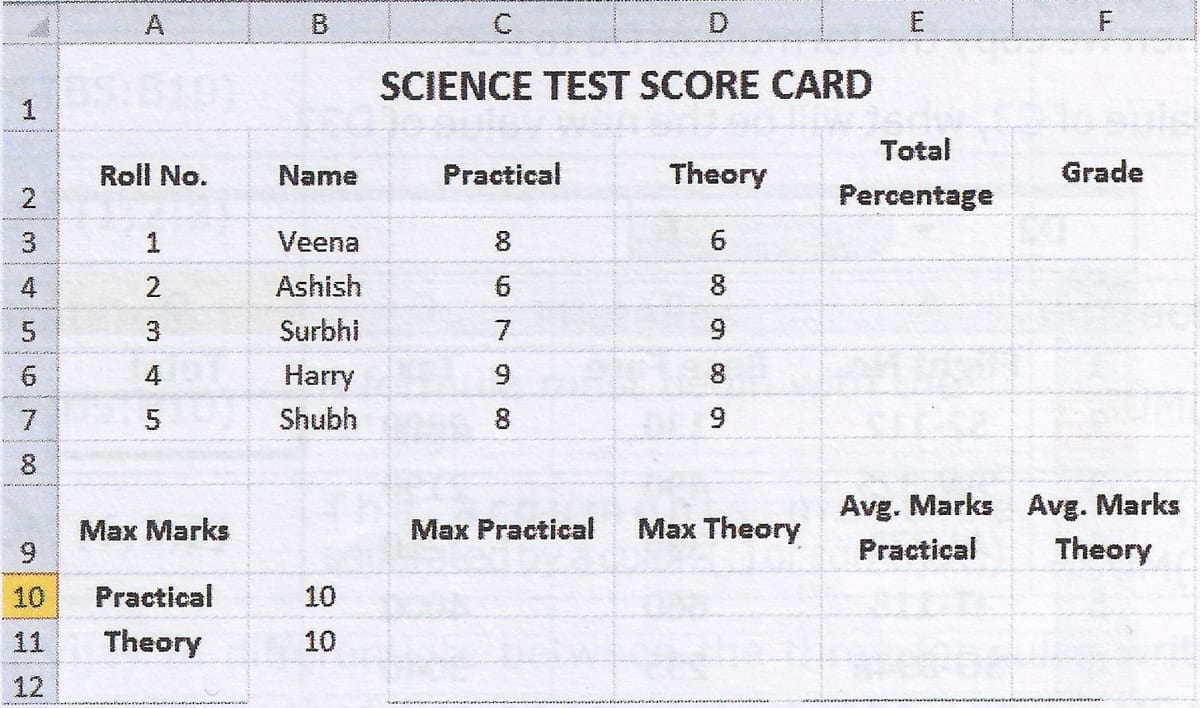
His teacher has asked him to:
(i) Calculate the total percentage of each student.
(ii) Find the Grade of each student by keeping a simple rule in view, i.e., students scoring below 90% must get B+ while those above this baseline must be given an A+.
(iii) Also find the Maximum marks and calculate the average Marks of both Practical and Theory.