
Computer Applications
Explain the meaning of the following functions:
=SUM (C5:H5)
Spreadsheet
70 Likes
Answer
This function calculates the sum of the cell references from C5 to H5.
Answered By
45 Likes
Related Questions
Given below is a table containing 'Rate/gm' and 'Wt in gm' in columns A and B respectively. Cell D1 contains GST as 5% (i.e. 0.05). The cost (including GST) of each item is to be calculated and stored in the corresponding cells of column C as (Rate/gm) * Wt in gm * GST.
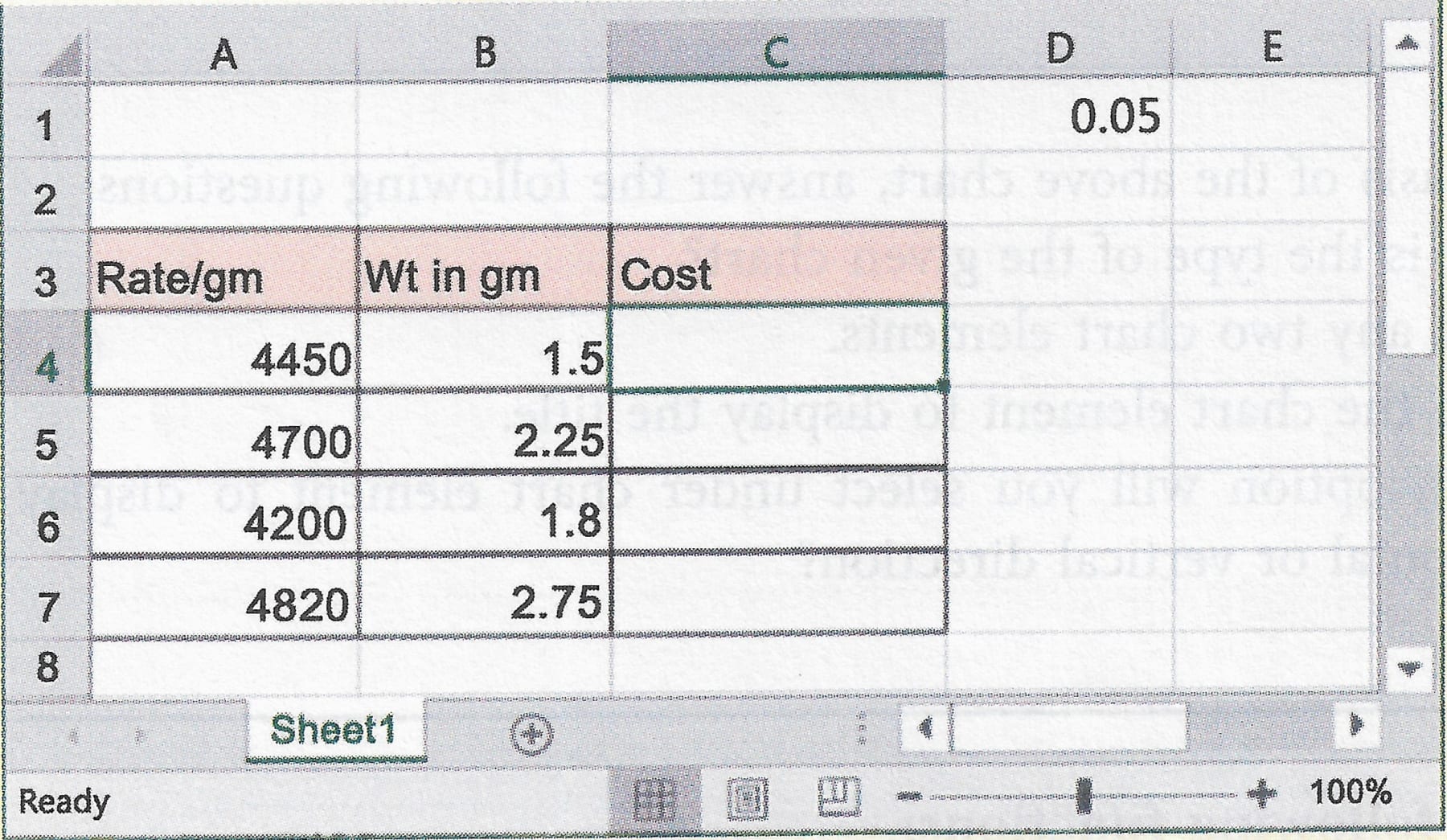
Based on the above case, answer the following questions:
(a) Which of the following represents cell D1 as absolute?
- $D1$
- D$1$
- $D$1
- D1$
(b) What will happen when cell C1 is absolute and used in the formula to find cost in the cells from C4 to C7?
- All cell values from C4 to C7 will become 0 (zero).
- The cell value D1 will be shifted into the cell C1.
- The cell value D1 will be copied into the cell C1.
- All the cell values from C4 to C7 will occupy same non-zero values.
(c) What will be the formula to calculate the cost in column C4?
- A4 * B4 * D1
- A4 * B4 * $D$1
- A4 * $B4$ * D1
- $A4$ * $B4$ * $d4$
(d) What will be the formula to calculate the cost in column C7?
- $A$7 * B7 * D1
- A7 * B7 * $D$1
- A$7$ * B$7$ * D1
- A7 * B7 * $D1$
Given below is a chart which shows the comparative study of the prices of TV sets of various companies:
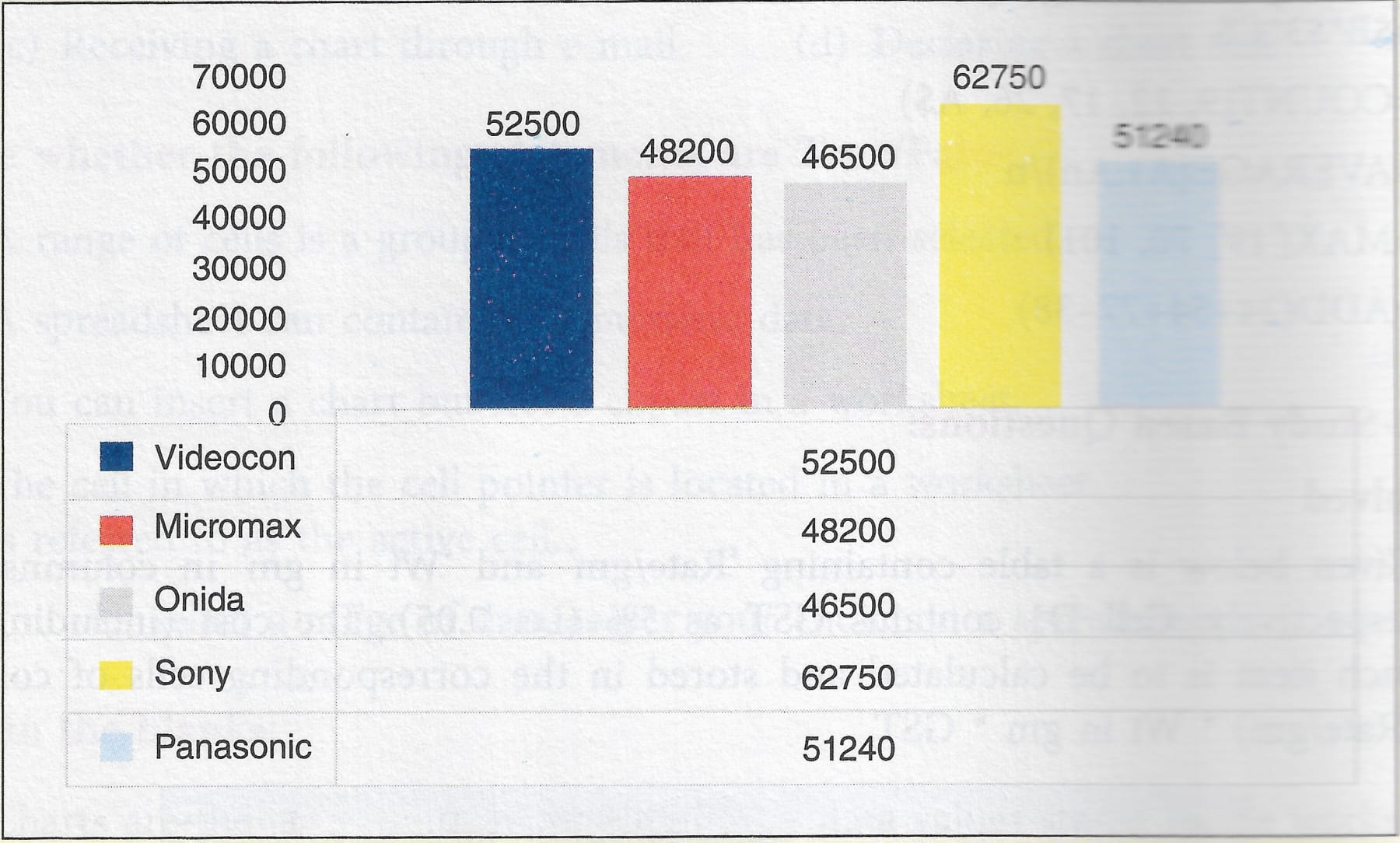
On the basis of the above chart, answer the following questions:
(a) What is the type of the given chart?
(b) Name any two chart elements.
(c) Name the chart element to display the title.
(d) Which option will you select under chart element to display information along horizontal or vertical direction?
Explain the meaning of the following functions:
=AVERAGE (K12:K50)
Explain the meaning of the following functions:
=COUNT (B15:B35)