
Computer Applications
Now move back the moved data range to the original position and make changes in the marks obtained by students. Notice total, average and class average. What happens ? Why does this happen ? What is this feature called ?
OOo Calc
8 Likes
Answer
When we move back the moved data range to the original position and make changes in the marks obtained by students, the Total, Average, and Class Average values will automatically update to reflect the changes. This behavior is known as "relative referencing" i.e., the cell references within the formula are adjusted based on their relative positions when we copy or move the formula to different cells.
When we make changes to the marks obtained by students, the formulas for Total, Average, and Class Average are using relative references to the cells containing the student's marks. As a result, when we move the data range back to the original position, the formulas automatically adjust to reference the correct cells, and the calculations update accordingly.
Answered By
5 Likes
Related Questions
Now copy the range consisting of the mentioned entire data (including total, average & class average) to a new location. Find out whether the cell references in formulas change or not.
Now move the original data range (including total, average and class average) to a new location. Find out whether the cell references in formulas change or not.
Write commands for the operations (i) — (ii) based upon the spreadsheet shown below :
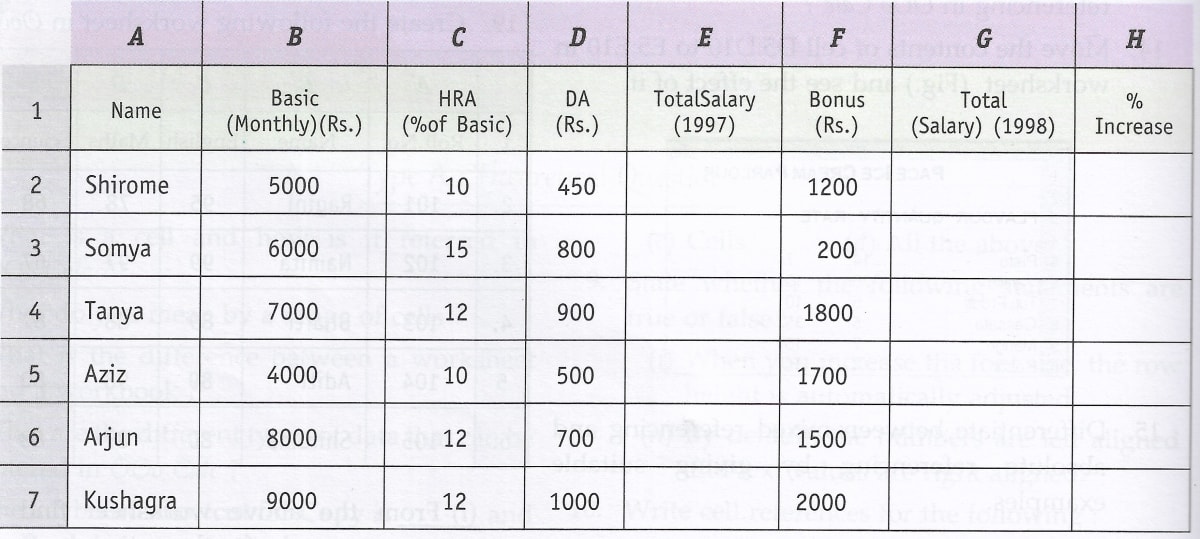
(i) To calculate the total salary as sum of Basic Salary, HRA and DA for each employee for the year 1997.
(ii) To calculate the total salary of each employee for the year 1998 as sum of salary for the year 1997 and bonus. Also calculate the percentage increase in the total salary from 1997 to 1998 for each employee.
A university student uses a PC to help plan a budget for the first term. Their first attempt is shown below.
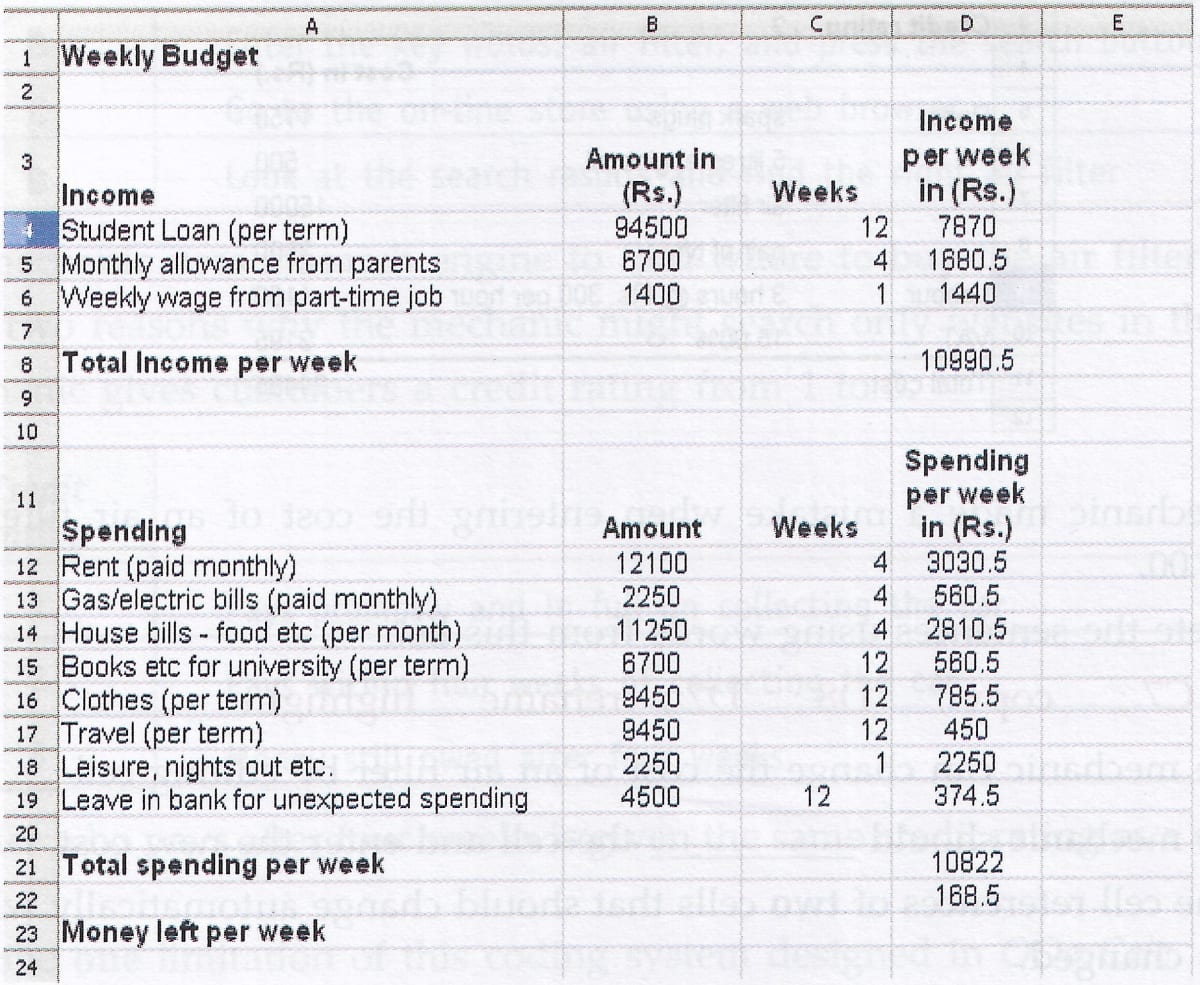
(a) Tick one box to show which type of software package has been used.
Tick one box only Graphics Database Spreadsheet Multimedia (b) Which cell contains the spending on rent per week ?
(c) Which one of the following is the formula used in cell D23 ?
Tick one box only = D21 - D8 = D8 - D21 = sum(D2 : D12) (d) Tick one box to show a disadvantage of using a software package to help work out the budget rather than using a calculator, pen and paper.
Tick one box only The formulae could be wrong The wrong prices could be input A virus may corrupt the information Multiple printouts could be produced